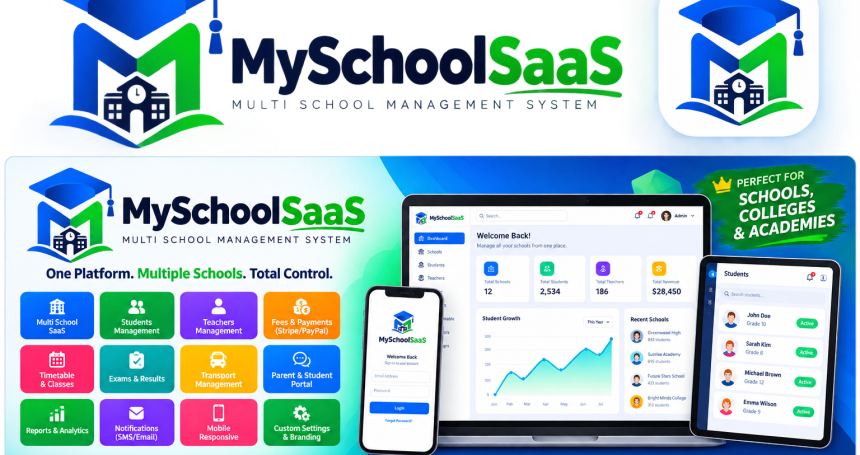
Campora – School & College Management System
Campora is a complete campus ERP with a Laravel 11 admin panel, a public school website, student & staff portals, and a Flutter app for Android & iOS — all on one REST API.
Use it for one institute or as multi-school SaaS. Each campus keeps its own students, staff, fees, IDs, and payment keys. A student at one school never sees another school.
White-label ready: your logo, your name, your domain. The core system runs on PHP, MySQL, and a web server only. Payments, SMS, video meetings, and AI are optional.
Who is it for?
Schools, colleges, institutes, and vocational campusesDevelopers and agencies launching a school ERP or EdTech SaaSCampus groups that need many schools on one installationFinance offices that collect tuition online and print receiptsLecturers who mark attendance and submit grades from web or mobile
Key selling points
One login, many campuses — staff and students sign in at one URL; accounts are tied to their schoolPrivate student IDs — two schools can both issue STU/2026/001; numbers are unique per campusBring your own gateway — tuition goes to the school’s Stripe, Paystack, Flutterwave, Razorpay, DPO, Orange Money, or PawaPay accountSaaS plans — Starter / Professional / Enterprise, student caps, and feature gates (online classes, elections, AI)Real roles — Super Admin, Platform Admin, Finance, Registrar, HOD, Lecturer, StudentWeb + mobile — Flutter app for fees, results, attendance scan, classes, materials, and staff clock-inLight & dark theme — public site, login, student portal, and admin share one design
What’s included
Laravel 11 backend (admin panel + public website + REST API)Flutter mobile app (Android & iOS, single codebase)Full installation documentationDemo seed data (multiple schools and role accounts).env.example, migrations, and seedersvendor/, node_modules/, and compiled builds are not in the zip (Envato size rules). After unzip run: composer install, npm install && npm run build, flutter pub get.
Public website (no login)
Home, About, Programmes, News, ContactOnline admission / apply formPublic transcript verification by codeQR attendance scan pagePricing / plans (when used as SaaS)Sign in and “Add your school” trial flow
Multi-school SaaS & platform owner
Create schools, assign a plan, activate or suspendEnter any campus as Platform Admin, then leave back to the network viewEach school has isolated students, staff, finance, settings, and logoSchool billing: checkout, customer portal, webhooksStudent-cap enforcement per planUnlock online learning, elections, and AI per plan
Super Admin
Campus dashboardUsers and role assignmentStudent records (view, edit, status)Departments and academic sessions (activate current term)Admissions / applications queueSystem settings: name, logo, payment, SMS, AI, and meeting gateways — each with a Test connection buttonAudit logsStudent wellbeing overview
Academics
Programmes, departments, and courses (code, credits, core/elective, lecturer)Academic sessions and semester switchCourse registration with approval workflowRegistration slipTimetableLecturer grade entry → HOD approve or rejectPublished results and GPATranscripts + public verify linkStudent ID card (screen + PDF)
Finance
Fee structures per programme / sessionRecord payments, reverse with control, print/download receiptsStudent fee portal, statement, and online paySemester rolloverFinancial reports and exportOptional gateways: Stripe, Paystack, Flutterwave, Razorpay, DPO, Orange Money, PawaPayEach school stores its own API keys — money settles to that school
Lecturer
My coursesClass attendanceGradebook (save and submit for HOD)AnalyticsUpload materials, create assignments, run discussion forumsSchedule / join online classes (on plans that include online learning)
Student portal (web)
Dashboard, my courses, course registrationFees, pay now, statementResults and transcript requestDigital ID cardNotices and profileWellbeingMaterials, assignments (file or text submit), discussion forumsOptional AI course tutor and academic advisor chat
Registrar & HOD
Registrar: registrations dashboard, elections administrationHOD: department dashboard, grade approval / reject
Online learning
Available on plans that include the online feature.
Campus life
Notices (read / unread)Student elections: create, candidates, nominate, vote, resultsStaff clock-in / biometric attendanceQR attendance scan for class
Optional integrations
The ERP is fully usable without any paid API. Add keys only for the channels you need.
Configure everything under Admin → Settings and use Test connection.
Flutter app (Android & iOS)
Point the app at your API URL. Students and staff can:
Roles
Platform Admin — all schools, plans, enter any campusSuper Admin — one school: users, settings, academics, financeAccountant — fees, payments, reports, receiptsRegistrar — registration, sessions, electionsHOD — grade approval, department viewLecturer — attendance, grades, materials, classesStudent — portal, fees, results, mobile app
Technical stack
Backend: Laravel 11, PHP 8.2+ (8.3 ready), MySQL / MariaDBUI: Livewire, Tailwind CSS, Alpine.js, ViteAuth: Laravel Fortify + Spatie roles & permissionsMobile: Flutter (Android + iOS)API: JSON REST for the mobile appTenancy: school_id on tenant tables + global scopes (no cross-campus data leaks)
Requirements
PHP 8.2+Composer 2.xNode.js 18+ (to compile assets)MySQL 8.0+ or MariaDB 10.6+Web server with document root pointed at public/Flutter SDK — only if you build the mobile apps
Installation (short)
Unzip and point the vhost / document root to public/Run composer install and npm install && npm run buildCopy .env.example to .env, set APP_URL and database, then php artisan key:generateRun php artisan migrate --seed (demo data is optional)In the Flutter app, set your backend URL and build for Android / iOSReplace logo and school name in Admin → SettingsEnable only the payment / SMS / AI keys you actually useFull screenshots and steps are in the included documentation folder.
Notes for buyers & reviewers
No paid API is required for admissions, students, manual fees, attendance, grades, or noticesStripe, Paystack, SMS, Zoom, OpenAI, etc. need your own keysDo not seed demo accounts on a live production schoolYou must run composer / npm / flutter pub get — those folders are excluded from the zip on purpose