Eventify SaaS - Event Ticketing and Management System with Laravel and Flutter Mobile App
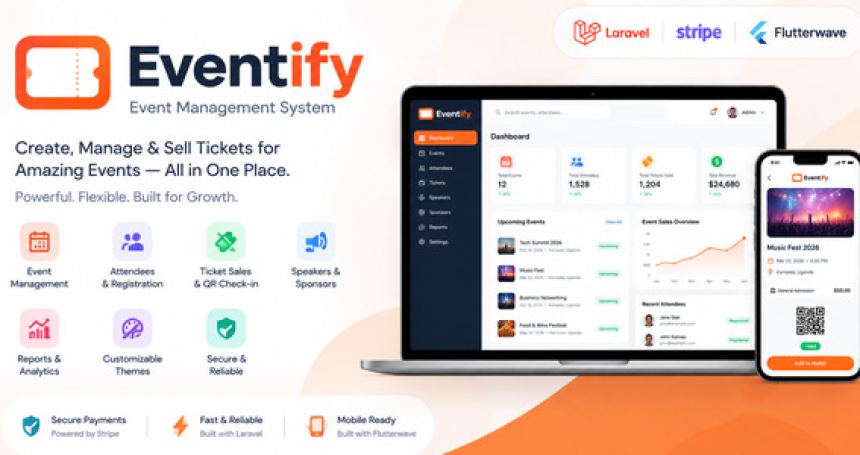
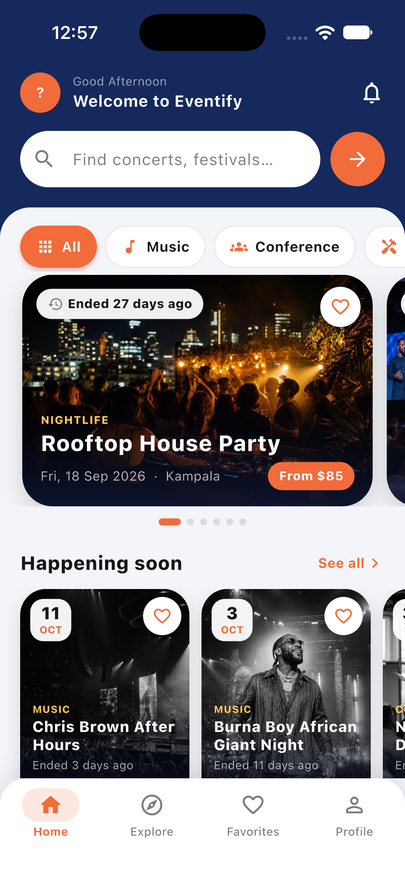
Eventify is a complete event ticketing platform that you install on your own server and run under your own brand. It lets organizers create events, sell tickets online, issue QR code tickets, scan guests in at the door and track their earnings, while attendees browse events, buy tickets and keep them on their phone. It is built as a ready-to-run business: a Laravel 13 (PHP 8.3+) back end with a JSON API, a compiled web site and dashboard for attendees, hosts and administrators, and one Flutter mobile app (Android, iOS and web build) that serves attendees, hosts, door staff and admins from a single code base. A browser-based setup wizard installs everything in a few minutes, and optional demo data lets you explore every screen straight after installation.
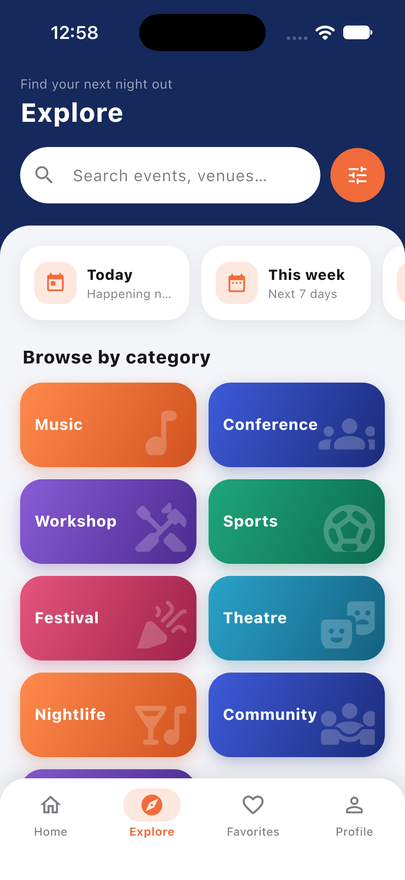
Use it to launch a ticketing marketplace for concerts, festivals, conferences, workshops, nightlife, theatre, sports, community events and webinars, or to run ticketing for your own events. Keywords: event ticketing, ticket booking, event management system, event ticket marketplace, QR code ticket scanner, event check-in, multi-organizer events platform, event booking app, Laravel event ticketing script, Flutter ticketing app, SaaS event platform, ticket sales with coupons, organizer wallet and payouts.
IMPORTANT - what the purchase price does and does not include
The price you pay on CodeCanyon buys the source code and documentation only. Eventify connects to outside services, and those services are separate companies with their own prices. None of the following costs are included in the purchase price, and the author receives nothing from any of these providers. You pay each provider directly, only for the services you choose to use:
Web hosting or a server that runs PHP 8.3 or newer with a database, plus a domain name and an SSL certificate (HTTPS is required for payments and for the mobile app).
Payment gateways: Stripe (including Stripe Connect), Bachs, Paystack, Flutterwave, PayPal and Razorpay. Each gateway needs your own account, identity verification (KYC) and API keys, and each one charges per-transaction fees, and may charge other fees, set by that company. Gateway availability depends on your country and business type. Chargebacks, taxes and compliance are your responsibility.
SMS messages: optional SMS uses Twilio. Twilio charges per message plus a phone number rental. SMS is optional; email and push notifications are the main channels.
Email sending: an SMTP provider such as your hosting email, Brevo, Mailgun, Amazon SES, Postmark or Resend. Free tiers exist; high volume is usually paid.
Push notifications: Google Firebase Cloud Messaging (usually free for this use, but subject to Google terms). Push to iPhones also needs an Apple Developer account.
Apple Developer Program (annual fee, needed to publish the iPhone and iPad app) and Google Play Developer account (one-time registration fee, needed to publish the Android app). Building the iOS app also needs a Mac with Xcode.
Any other API, CDN, backup, monitoring or professional installation or customization service you choose to add.
Prices change and differ by country, so always check each provider's current pricing page before you start. Section 1 of the included documentation lists every account and service in a table.
IMPORTANT - AI-assisted development notice
Some parts of this product, including portions of the code, tests, screens and documentation, were written or assisted by an AI coding agent. The author directed the work, reviewed it, ran the automated test suite and checked the main flows, and ran two security review passes (documented in SECURITY-AUDIT.md). As with any software, you should test it yourself before going live: make test purchases in each payment gateway's sandbox or test mode, check email delivery, and try the installer and the mobile app on your own server and devices. The full declaration is in section 19 of the documentation.
Main features
For attendees (website and app)
Browse and search events by keyword (title, organizer, venue or city), category, date and format (in person or online); featured events, trending events and a home page carousel.
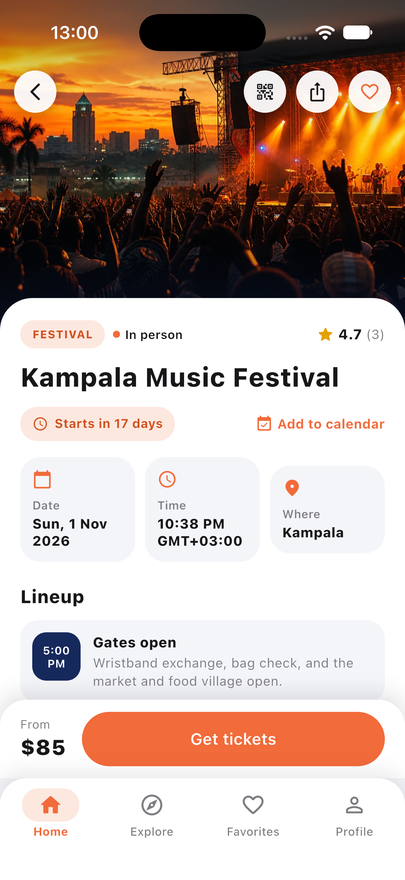
Event pages with description, line-up or schedule, venue, ticket types, remaining stock, organizer profile and attendee reviews.
Buy tickets with coupon codes; stock is held for a configurable time while the buyer pays so tickets are not oversold.
Pay by card, bank, mobile money, UPI or wallet depending on the gateways you switch on; the buyer chooses the gateway at checkout, on the website and in the app.
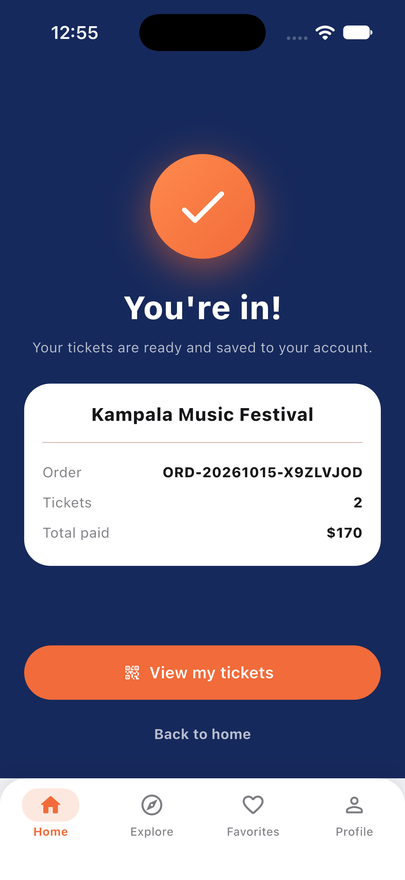
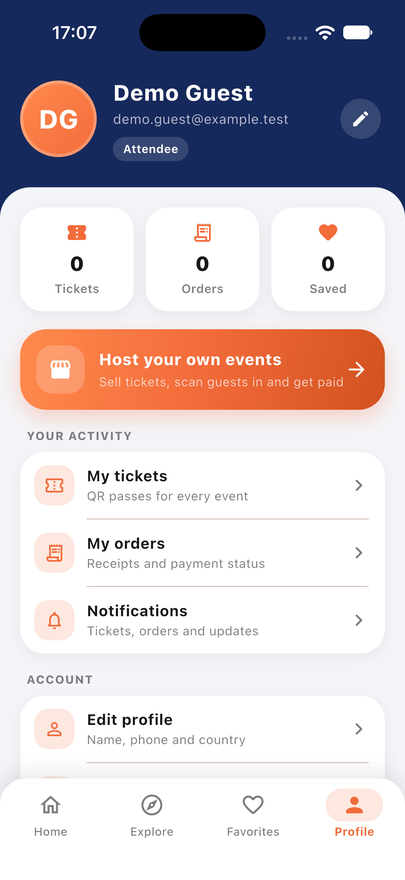
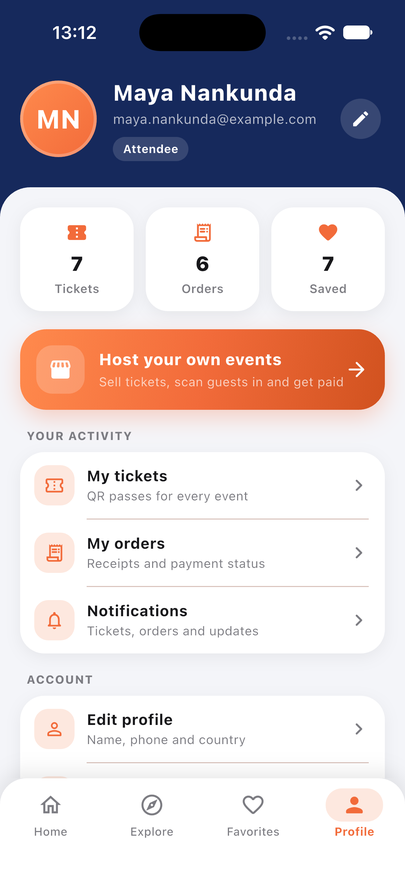
Digital tickets with QR codes, "My tickets" wallet, order history and receipts, add to calendar, print tickets as PDF, ticket token recovery.
Favorites, notifications (in app, push and email), reviews after attending, account settings and optional two-step verification.
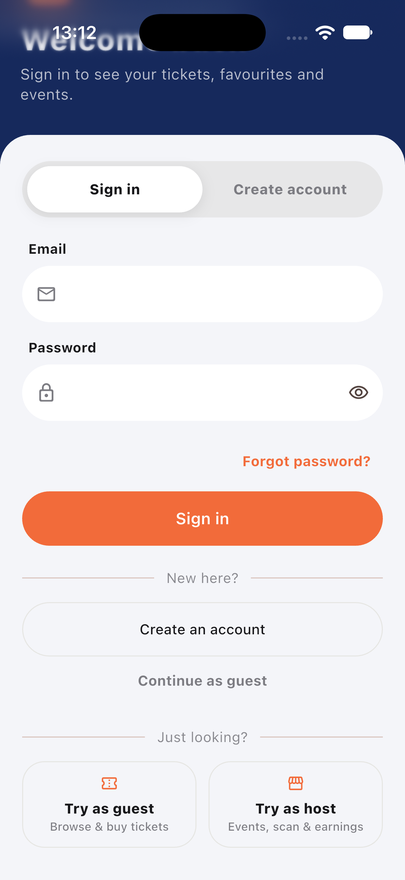
Guest checkout and sign-in; one-tap demo sign-in for test installs.
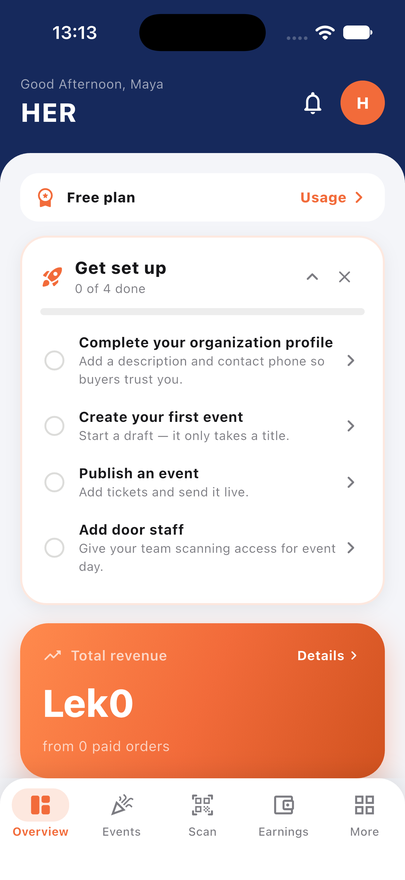
Create events with a step-by-step wizard: cover image, description, date, time zone, venue or online link, categories and ticket types with their own prices and quantities.
Publish immediately or send for admin approval (configurable). Cancel sales, edit and manage media.
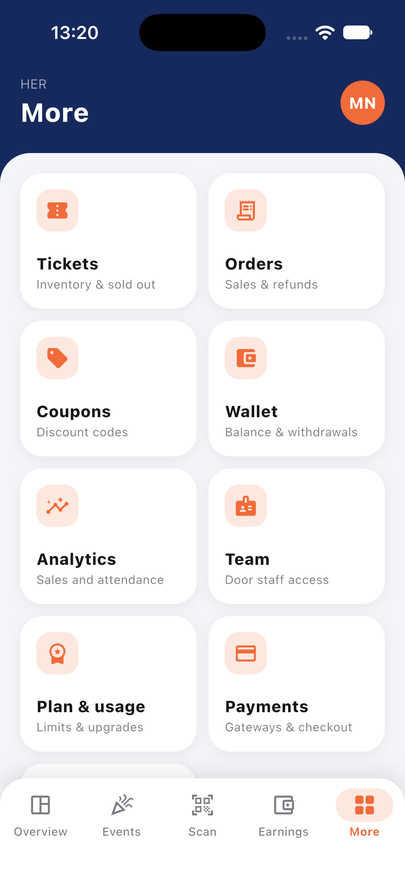
Orders, refunds, attendee lists, guest lists, CSV attendee export, coupons and discount codes.
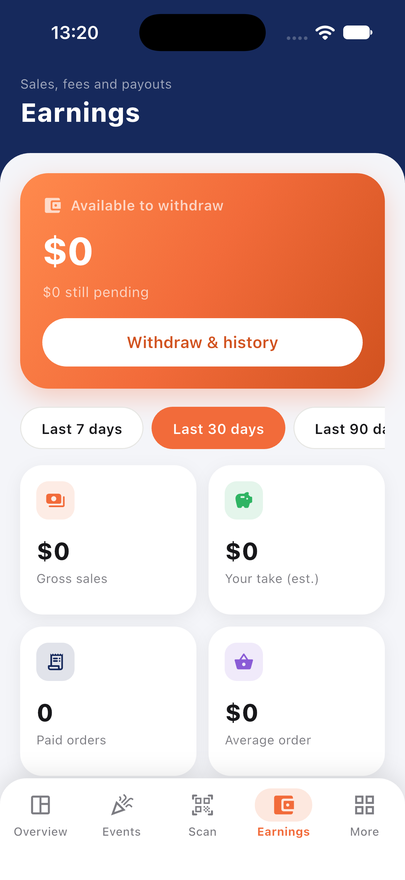
Earnings overview, organizer wallet, commission snapshots, withdrawal requests and payout history.
Analytics: sales, tickets issued, check-in rate, revenue and trends.
Team management: invite door staff and team members with role-based permissions.
Subscription plans with limits (events, tickets, seats, storage) that you define; hosts can connect their own Stripe account through Stripe Connect on paid plans.
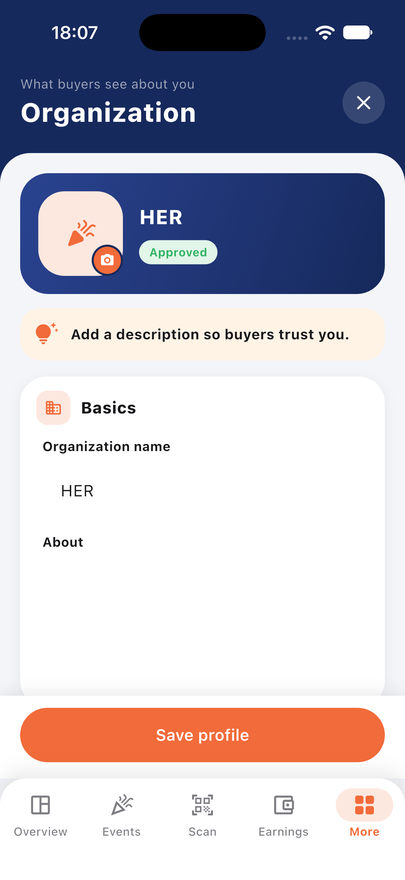
Organization profile page with logo and description that buyers see.
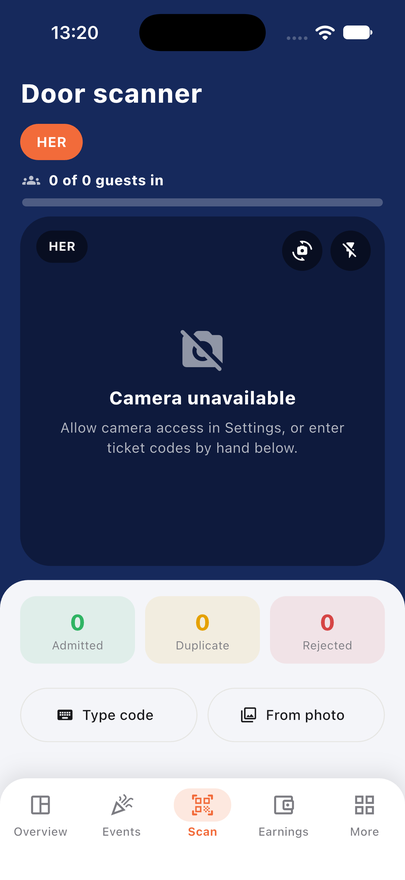
Fast QR scanner built into the app using the phone camera, with manual code entry and photo scan as backups.
Each ticket can be admitted once; duplicates, wrong events and invalid codes are flagged immediately.
Live guest lists and arrival counts, limited to the events the staff member is assigned to.
Dashboard with users, organizers, events, orders and revenue figures.
Approve or reject organizers and events, feature events, moderate reviews, manage categories, banners, FAQs and content pages (About, Terms, Privacy, Refund policy).
Manage users, roles and permissions, orders and refunds, subscriptions and plans, withdrawals and reports.
Platform settings: name, logo, colors, currency, commission, email delivery, SMS delivery, payment gateways and legal pages.
Audit log and an app error report that shows crashes sent from the mobile app.
Payment gateways included
Stripe and Stripe Connect (cards and wallets worldwide; hosts connect their own Stripe account)
Bachs (hosted checkout and automatic billing of paid host plans)
Paystack (cards, bank and mobile money, mainly Africa)
Flutterwave (cards, bank and mobile money, mainly Africa)
PayPal (PayPal balance and cards)
Razorpay (cards, UPI, netbanking and wallets, mainly India)
You can switch on several gateways at once. Tickets are issued only after the provider's signed webhook confirms the payment, never just because the buyer returned to the app; the paid amount and currency must match the order, and repeated webhooks are ignored. Card numbers never touch your server. Please note: the gateway integrations were tested with simulated provider responses and automated tests. Always test each gateway with your own sandbox or test keys, and make one small real purchase, before you take real money. Paid host plans activate automatically only through Bachs; with the other gateways an administrator activates a paid plan.
Easy installation and a ready-made demo
Upload the laravel-backend folder to your hosting, open your website and the setup wizard appears by itself: server check, Envato purchase code, database (MySQL, MariaDB or SQLite), administrator account, install. No Composer and no Node.js are needed on the server because the PHP libraries and the compiled dashboard are included.
Optional demo data: sample organizers, events, ticket types, orders and checked-in tickets so you can explore every screen immediately. It is meant for trials and screenshots, not for a live business site.
Very detailed HTML documentation: requirements, shared hosting (cPanel / hPanel), VPS, local install, cron job, email, payment gateway setup with webhook URLs, building the Android, iOS and web app, publishing to Google Play and the App Store, branding, backups, updating, troubleshooting and FAQ.
Technology and quality
Back end: Laravel 13, PHP 8.3 or newer, MySQL 8 / MariaDB 10.6+ or SQLite, Sanctum token authentication, roles and permissions, queue and scheduler support, REST JSON API under /api/v1 with developer references (api.md, flutter-api.md, payments.md, operations.md).
Web: Vue 3 and TypeScript dashboard, already compiled; the source is included if you want to change it.
App: one Flutter source code for Android 7.0+, iOS 15+ and the web; the app server address is set with one build option.
Security: rate limiting on sign-in, checkout and sensitive routes, verified webhook signatures, role-based access isolation between organizers, secure HTTP headers, optional two-step verification, encrypted secrets, and a documented security audit.
Automated tests (PHPUnit) covering checkout, payments, refunds, installer, permissions and isolation; the Flutter code passes the analyzer and its tests.
Per-event time zones, nightly backup script and scheduled clean-up tasks.
Requirements
PHP 8.3 or newer with the extensions pdo (pdo_mysql or pdo_sqlite), openssl, mbstring, tokenizer, json, ctype, xml, fileinfo and curl.
MySQL 8 or MariaDB 10.6 or newer (recommended), or SQLite for small test sites.
Apache with mod_rewrite or Nginx, a domain with HTTPS, and the ability to run one cron command every minute.
To build the mobile app on your own computer: Flutter SDK (Dart 3.13 or newer), Android Studio for Android, and a Mac with Xcode for iOS.
License verification notice
During installation Eventify asks for your Envato purchase code and checks it with the author's license server (which in turn asks the Envato API). The installed site re-checks once a day. Only the purchase code, your website address, the product name and the version are sent. One purchase code covers one website. A Regular License covers one website that does not sell access to the software itself; charging your own organizers for paid subscription plans needs an Extended License. If a code is refunded or used on another site, only creating and publishing new events is paused; ticket sales, check-in and payouts continue. This is explained in the documentation (sections 5.1 to 5.3).
What is in the download
laravel-backend: the complete server application with the installer, API and compiled web dashboard.
flutter-app: the full Flutter source code for Android, iOS and web.
documentation: the full HTML guide with screenshots.
CHANGELOG, THIRD-PARTY-LICENSES (open-source credits) and SECURITY-AUDIT files.
Sample event photos and demo content are for demonstration only; replace them with your own before you launch. Third-party packages keep their own licenses, listed in THIRD-PARTY-LICENSES.
Support
Author support covers questions about the item, reporting bugs and help with problems in the code as provided. It does not cover third-party service accounts, custom development, server administration or publishing your app on your behalf. Contact: WhatsApp +256 774 508 782 or email send2okao@gmail.com. Please read the documentation first, and include your purchase code, your PHP version and any error message when you write.